MS Exchange Extended Protection in Load Balanced Scenarios
Troubleshooting logon failures after certificate replacement
2025-11-21
Like many organizations, we've largely migrated off on-prem Exchange in favor of Exchange Online, but we have some technical debt that keeps us bound to a hybrid configuration. Still, our on-prem server has diminished significantly in priority and is for the most part in a 'just keep the lights on' mode.
We're down to one server from 5-6 servers, and it runs as a VM rather than dedicated hardware. Perhaps this de-prioritization made us a little cavalier with changes that impact the server. There are a couple of important services that still run on the server; namely, internal SMTP relay and a few hundred legacy voicemail boxes for PBX users who refused to migrate to Teams for voicemail.
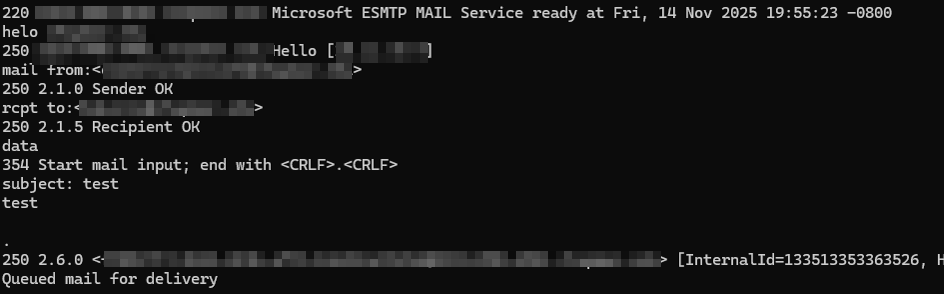
A ticket came across our desk from the Telecom/Network Operations team asking if we were aware of any delivery issues in Exchange. The user was expecting a voicemail and hadn't received it in his inbox. We began investigating and quickly observed that there were no stuck messages in the queue and no messages from the voicemail server in the transport logs. When sending to one of the voicemail boxes from Exchange Online, we received an unexpected bounce from a third-party delivery system we'd recently set up as a lat-hop for mail routing. This led us to believe this change was the culprit until we realized the voicemail system sends from on-prem to on-prem mailboxes which forward out to the cloud. A quick telnet test proved this worked just fine.
The next step was to look at the voicemail server itself. This was unfamiliar territory for any of us. As I mentioned before, it supported legacy mailboxes, and the person who set it up was no longer with the organization. Our NetOps manager was familiar enough with the config to get to the connection settings. Nothing had changed there. The account wasn't locked out and the password hadn't changed recently, nor had it expired.
I hopped onto the Exchange server to take a look at the security logs. Sure enough, all of the recent logon attempts for that account were failure audit events with an obscure error code, so there seemed to be an authentication issue.
Failure Information:
Failure Reason: An Error occured during Logon.
Status: 0xC000035B
Sub Status: 0x0
We had recently blocked RC4 as a ticket encryption type in the domain, so I immediately assumed that was the culprit. Concurrently, one of my coworkers identified the last time the voicemail system had successfully delivered a message was over two months prior! That date was well before we made the RC4 change, so something else had to be the cause. My manager looked at the change calendar and noted that the Exchange SSL certificate was replaced on the load balancer just prior to the last voicemail delivery.
The 0xC000035B error code led to a few results discussing Exchange Extended Protection. This post proved to be the most helpful; particularly, the final comment below from a Microsoft support agent:
based on my understanding, the Sophos UTM Webserver Protection intercepts the HTTPS connection and so, is considered as a Man-in-the-Middle (MitM) and this is a scenario that Windows Extended Protection actively tries to prevent. Therefore, you see the credential prompts as the server doesn't accept the connection. If the UTM uses SSL Bridging (Client --HTTPS-- UTM --HTTPS-- Exchange), it's required to use the same certificate on the device between the client and the server (in your case, the UTM). If you perform SSL Offloading (Client --HTTPS-- UTM --HTTP-- Exchange) this isn't supported and will not work together with Extended Protection turned on as we need the certificate for the Channel Binding Token (CBT). For more information see: https://aka.ms/ExchangeEPDoc
We're using SSL bridging, not offload, but for the first time in our Exchange server's history, we had replaced the SSL certificate on the load balancer separately from the SSL certificate on the device itself. We're separately running a project to replace all our SSL certificates using ACME, and generating separate certs simplified the automated process. It also allowed us to exclude internal hostnames from the public certs. Unfortunately, with the enforcement of Extended Protection in CU14, bridging with different SSL certificates caused the channel binding token check to fail. Essentially, Extended Protection perceives this as a man-in-the-middle attack and denies the connection. This is outlined here in the F5 Support Article that I failed to read in advance.
Given that we had a single system using this type of connection, the "fix" was to configure the hosts file on the voicemail server to bypass the load balancer by pointing the load balanced FQDN directly to the server along with an NSX rule permitting the direct connection. We also configured a transport rule to redirect the voicemail messages into a separate mailbox rather than delivering them all at once to users. After recycling the voicemail service, messages began flowing in as usual.